Posts

Get Pokémon Go New Update - What's New?

Image
Get Poké mon Go New Update - What's New? Poké mon Go had been a really pain sometimes with its bugs. But here's new update 0.31.0 version which has variety of fixes and improvements. Some changes may be more welcomed than others, but at least we know Niantic Labs is improving the app. So, let's have a look at the changes. Here is the full change log:  Avatars can now be re-customized from the Trainer profile screen Adjusted battle move damage values for some Pokémon Fixed issues with displaying certain map features Minor text fixes Refined certain Gym animations Improved memory issues Removed footprints of nearby Pokémon Modified battle damage calculation Various bug fixes during wild Pokémon encounter Updated Pokémon details screen Updated achievement medal images      I personally get screen freezing issue, which is yet to be resolved. I hope in upcoming updates they will resolve it.  ...
Is it safe to charge your phone overnight?

Image
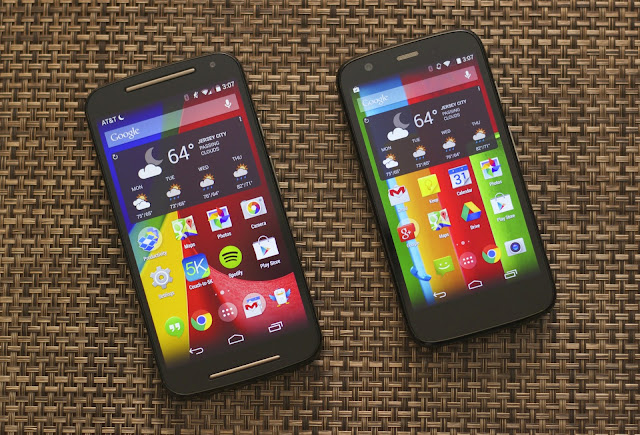
Is it safe to charge your phone overnight?     Well, in today's world all the phones are based on lithium-ion batteries and looking at the increasing usage of smartphones, we are always under the need to charge the phone. Most of us don't get enough time to charge the phone during the daytime, unless you have a power bank. So, is it safe to leave the phone on charge overnight? Will it affect the battery? These are the common worries we have. After doing a bit of a research I found following things about these worries. Let's have a look! This picture is for representation purpose only!  What are charge cycles?      According to Wikipedia article, a  charge cycle is the process of charging a rechargeable battery and discharging it as required into a load. The term is typically used to specify a battery's expected life, as the number of charge cycles affects life more than the mere passage of time. Discharging th...

5 Tips to Speedup Your Android Device

Image
5 Tips to Speedup Your Android Device      Android devices have a tendency of getting old. And with an old phone comes the great lag. This happens due to various reasons. Well, you may be able to save your smartphone by performing a few tricks that can push your handset forward, possibly making it as snappy as the first day you turned it on. Let's have a look at those tricks! 1. Delete the Unnecessary Apps    Most of us download the apps for a while and don't delete it even when we're not using it! Well, the background services of such apps can consume your memory and data as well. Moreover there are built in apps that comes along with the phone (Bloatware)  are sometimes nearly useless.    Even though we can't delete it, we can disable them. This will help to free up some RAM.  Unused apps are definitely resource hogs, so just get rid of them! You can do this by using the app manager in your se...

5 best Photo Editing Apps for Android

Image
5 best Photo Editing Apps for Android     Smartphone photography is the newest trend these days, thanks to the great improvement in the camera qualities over the years! With the craze of photos comes the craze to edit them and tweak a little to make them even more beautiful and of course to share them on the facebook, instagram, etc.     So here are the 5 best Photo Editing Apps you will find on the play store today and they all are either free or with in-app purchases. 1. Photo Editor by Aviary     Photo Editor by Aviary is a long time popular app. It has good set of features with awesome user interface. Along with the features like one touch improvements it comes with manual controls like brightness, color, temperature, contrast, etc adjustments.      Features like red eye fixing, blemish remover, teeth whitener are unique. In addition to that it has got thousands of filters (some of th...

5 ways to save the battery of your android device

Image
5 ways to save the battery of your android device Smartphone batteries don't last forever, and some devices have an almost-embarrassing screen-on time. Keeping in mind our daily need there are so many things you can do that indirectly or directly reduces the battery consumption. Let's explore how to increase battery on your smartphone.  You can see my battery is always like this! 1. Turn off the unnecessary stuff Turn off GPS, Bluetooth, NFC, Wi-Fi and mobile data whenever you don't need them. Turning off location data, or changing your Location settings to use Wi-Fi or 3G data rather than GPS works perfectly well. This will increase battery on your Android device. Only turn on Bluetooth and NFC as long as you need them (even though they consume very little power), and there's no need to have both Wi-Fi and mobile data turned on at all times. GPS is the major reason for most of the battery drain. Now that Pokémon Go is launched, ...

Android Development : Aksing user to turn on the GPS

Image
  Dialog box :  Turn on the GPS      Recently, in one of my android project work, I needed GPS location of the user device. I wanted it to look like the dialog box which appears in the Google Maps when we turn in on. This is how Google asks user permission for GPS access: So, after referring the Google's official documentation and some more modifications following code worked like a charm. I had integrated the map and the code somewhat goes like this: First you have to add manifest permissions: <uses-permission android:name = "android.permission.READ_PHONE_STATE" /> <uses-permission android:name = "android.permission.INTERNET" /> <uses-permission android:name = "android.permission.ACCESS_FINE_LOCATION" /> <uses-permission android:name = "android.permission.ACCESS_COARSE_LOCATION" /> Then edit your MainActivity like this : public class MainActivity extends AppCompatActivity implements ...

Excel to MySQL bridge

     Excel - MySQL Bridge Hello! This post contains simple python code written by me to transfer all Excel file table data to MySQL database running on your local machine and vice-versa. How to do this? There are two scenarios  1. Transferring the Excel table to MySQL database  2. Transferring the MySQL table to the excel sheet. 1. Excel to MySQL: Prerequisites to do this are you need to have a CSV file of the data. (Comma Separated Values) Also, first row should contain the column names and data from the second row onward. Turn on the XAMPP or WAMPP server so that code can access your local server. Create a database by any name. In the code it's phpgang . Run the Python code. (You need to have Python installed in your computer, you can download it from official Python site) This will transfer all the data from you CSV file to the MySQL database.  Note:   This script considers String as a defaul...